Fresh Intranet

For Communications

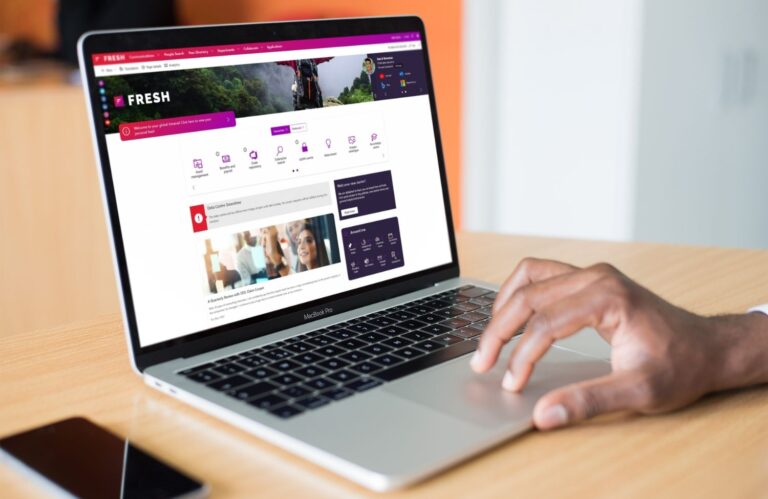
Fresh makes SharePoint work for you and your colleagues. That’s how
you get control, insight and an intranet that really makes a difference.

Reach everyone: Distribute news via intranet, Teams and Outlook.

Measurable Results: Insight into reach, engagement and trends.

Smart support: AI helps with content creation and planning.

SharePoint Intranet

Why choose Fresh?

As a communications professional, you want your message to really get through. Not just posting a news item, but making sure colleagues see, read and understand it. You want a grip on internal communications, insight into reach and the right tools to make content attractive and efficient.

With Fresh, you get a SharePoint intranet that caters specifically to those needs. From smart news modules and targeting to powerful analytics and AI support: everything you need to organize internal communication professionally and effectively.

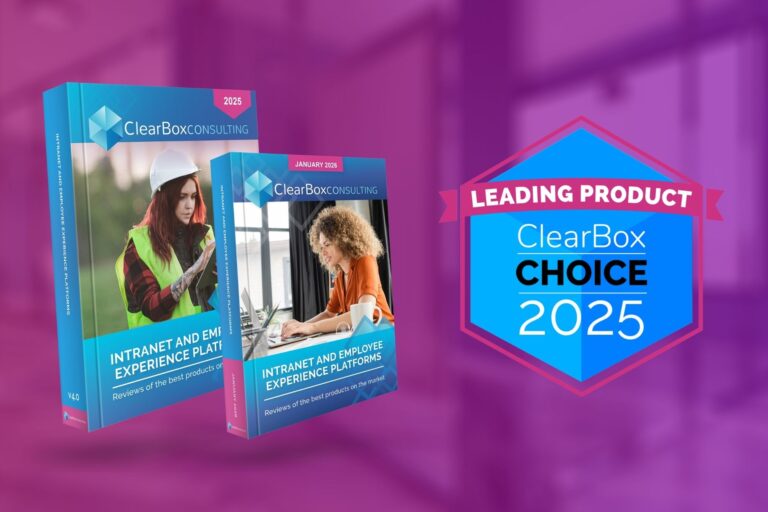
Want to learn more about Fresh? Check out the frequently asked questions. Curious about ClearBox Consulting’s review of Fresh? Read the independent report below .

Whitepaper

SharePoint vs. Fresh Intranet

Wondering what exactly Fresh adds to standard SharePoint and where the differences are? In the white paper Standard SharePoint vs. Fresh Intranet we list the most important points. Want to know more about the technical details? Schedule a demo and our experts can tell and show you everything. In this white paper you will read:

Fresh Features

Fresh gives you the tools to turn SharePoint into an intranet that really works. Not complicated, but user-friendly and smartly designed. With ready-to-use tools, smart AI and user-friendly modules, you get a grip on your SharePoint intranet and communication. And this is just the beginning:

News releases & alerts

Publish news releases and send notifications via Intranet, Teams and Outlook so everyone sees important updates.

Campaigns

Set up internal campaigns or themes conveniently and easily track how they are picked up by employees.

Events

Centrally manage events and subscriptions and automatically display them in calendars and on relevant pages.

What's New module

Let employees see at a glance what’s new without having to search for a long time.

Templates & widgets

Build pages and news faster with predefined templates and smart building blocks.

Multi-language support

Translate content automatically and ensure international employees receive information in their own language.

Editorial calendar

Plan content ahead and collaborate within a central calendar for oversight.

Newsletter Generator

Compose newsletters from intranet without duplication or separate tools.

Content workflows

Always have content reviewed and approved before it goes live.

Version control

Keep track of changes and easily restore previous versions of pages.

Quick editor

Publish content more easily than in SharePoint, without complicated editing options.

Governance templates

Make sure content is always built consistently and as agreed upon.

Fully branded intranet

Enter Fresh your own look and feel, without recognizable SharePoint limits.

Consistent navigation

Always offer employees the same structure, making it easier for them to find what they are looking for.

Visual widgets

Add interactive and visual elements that liven up the intranet.

Modern components

Use dynamic building blocks such as banners, widgets and carousels for attractive pages.

Responsive design

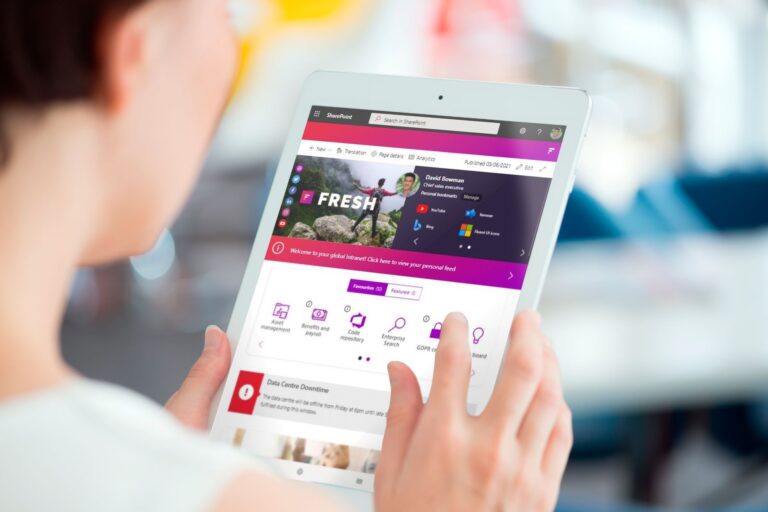
Make sure the intranet always looks perfect on mobile, tablet and desktop.

Styling options

Adapt styling flexibly within your corporate identity so that the intranet really feels like the organization’s.

Content assistant

AI helps you write, summarize and tag of content, helping you publish faster with fewer errors.

Document chat

Ask questions about documents or policies and get straight answers from intranet.

AI image suggestions

Let AI automatically generate appropriate images to make your content visually appealing.

Governance alerts

Receive signals when content becomes outdated so you keep a grip on timeliness.

Automatic tag suggestions

Get smart suggestions for metadata, making content easier to find.

Bulk content updates

Adjust ownership or review dates for multiple pages or documents at once to.

Targeted content

Display news and updates only to the departments, locations or roles for which it is intended is intended.

'Around me'-tiles

Give employees a personal dashboard with relevant information from their own environment.

Notifications by target audience

Reach the right people at the right time with notifications that matter to them.

Language settings

Automatically offer employees content in their preferred language for greater inclusion.

Personal dashboards

Create home pages that adapt to the user’s role.

People & skills finder

Easily find colleagues by name, role or expertise, making knowledge sharing easier.

Reach per message

Instantly see how many employees have read your news and which groups you are still missing.

Engagement measurement

Find out what content elicits responses and interaction and what, on the other hand, is less successful.

Trends & dashboards

Track patterns in usage and reach and see how your internal communications are evolving.

Export functions

Easily export data to reports for management or annual plans.

Campaign Analytics

Measure how campaigns score and demonstrate the value of communication with concrete numbers.

Editorial board

Use insights to plan better and publish in a more targeted way, based on facts rather than feelings.

Fresh Intranet - I4-YOU

SharePoint Intranet

Why I4-YOU is the right partner

An intranet project is not only about technology, but more importantly about people. IT often determines the technical frameworks, while communication gives the intranet color and meaning. And that is precisely where our strength lies: we ensure that both worlds come together. We speak the language of communication and understand the interests of IT. This enables us to translate wishes into feasible solutions that are both technically sound and user-friendly. We also help you get the right stakeholders, such as IT and Finance, involved in the process.

With us, you can count on short lines of communication, clear communication and a pragmatic approach. We guide you step by step: from advice and design to implementation and adoption. We give you the tools, training and insights you need to make your intranet successful and we stay involved, even after delivery. This way, together we not only build an intranet, but also a sustainable collaboration in which your organization is central.

"Fresh is an excellent fit with SharePoint and Microsoft functionalities, while offering powerful additional features that enrich the user experience. It particularly excels in news and content management, and its support for communities is also strong. In addition, we found the use of AI for search and information management to be one of the better examples we have seen. We are eager to see what else is to come."

"One of Fresh's strengths is its use of AI as a concrete solution to recognizable issues. The AI is secure and manageable, with organizations controlling which libraries and metadata are used and who has access. Because this is done within Microsoft 365, they benefit from less switching, more integration and higher efficiency. For those looking for the right balance of power, simplicity and familiarity, this is a strong offering."

Frequently Asked Questions

About Fresh Intranet by Communication Professionals

What does Fresh do that makes SharePoint more suitable as an intranet?

Fresh builds on SharePoint’s solid foundation and adds communication features that are missing from standard SharePoint. Think rich news modules, notifications via Teams & Outlook, structured events, public-facing targeting and intranetanalytics. This makes SharePoint an intranet where communicating becomes easy, effective and visible.

Can I manage the intranet without help from IT or IT knowledge?

Yes, completely. Fresh has a user-friendly editor with templates, workflows and fixed modules. Communication teams can modify and publish everything independently without technical knowledge or IT intervention. In addition, of course, we are here to support you in setting up and customizing your intranet. Moreover, it is possible to use ‘ provisioning‘ standard templates to create, so that you don’t have to redo certain pages, for example for a community or topic, over and over again at build. It is then taken care of at the click of a button and all you have to do is edit the content. This makes managing your intranet a lot easier and faster.

Can the intranet be completely in our corporate identity?

Absolutely. With extensive branding options, colors, logos, fonts and navigation, your intranet visually feels 100% like your organization. Fresh leaves the typical SharePoint look completely behind.

Can I send intranet notifications through Teams and Outlook?

Yes. You publish content such as news or emergencies via intranet and send notifications directly to Teams and Outlook. This way you reach your target group effectively, at their workstations where they are active.

Why is it an advantage that Fresh runs on SharePoint (Microsoft 365)?

Because Fresh runs entirely within your own Microsoft 365 tenant, you don’t need an additional platform or separate environment. Everything is integrated with the tools you use every day. Your intranet is directly accessible from Teams, you can send notifications through Teams and Outlook, and all content is centralized and secure within SharePoint. You also benefit from built-in Microsoft security and compliance, so you can be sure your data is protected. In short: one intranet, fully integrated into your familiar Microsoft 365 environment.

I have SharePoint intranet. Can Fresh be on top of that or will I lose that data?

If you already have a SharePoint intranet, you can easily install Fresh on top of it without losing any data. You keep all the existing SharePoint functionality and add Fresh’s additional features, such as an improved user interface, additional widgets, and other useful tools. It’s a seamless addition that doesn’t replace your existing intranet, but enriches it.

We have another intranet, can we transfer our content?

If you are already using another intranet platform that does not run on SharePoint, you can migrate afterar Fresh Intranet. Is your organization using Microsoft 365? If so, we can migrate the data to SharePoint. Does your organization not yet use Microsoft 365? Then your organization must first make the switch to Microsoft 365, aanzi and Fresh specifically designed to run on top of SharePoint. Of course, we have experience with both and can j ouw organization certainly help with that.

What about updates and maintenance? Do I have to do anything for this?

If you are already using another intranet platform that does not run on SharePoint you can migrate afterar FFresh Intranet is updated four times a year, adding improvements and new features. We are in close contact m et Fresh and therefore have advance insight into what features are included in upcoming updates. This gives us the opportunity to provide feedback and pass on suggestions for new features or changes. So if there are specific wishes, we can always a an Fresh pass on and see if this fits into the development of the intranet. If there is sufficient IT knowledge within the IT department, you can perform the updates yourself. This need not ; normally we do this for you so that everything is updated smoothly and without worry. resh Intranet. Is your organization using Microsoft 365? If so, we can migrate the data to SharePoint. Does your organization not yet use Microsoft 365? Then your organization must first make the switch to Microsoft 365, aanzi and Fresh specifically designed to run on top of SharePoint. Of course, we have experience with both and can j ouw organization certainly help with that.

What about setting up Fresh Intranet?

When you make the choice for Fresh Intranet we help you with the setup. We start with an inspiration session and an inventory of your wishes and needs so that you know what the possibilities are and we know exactly what is needed for your intranet. On this basis, we start setting up your SharePoint environment. set to work and we integrate Fresh Intranet the right way. Then we fine-tune and adjust the setup until everything matches your expectations perfectly. So you don’t have to worry about configuring or “fumbling” with the tool yourself. We make sure that the process runs smoothly and that you end up with an intranet that is completely to your liking.

What about AI and Fresh Intranet?

At Fresh Intranet comes standard FreshMind, an AI tool that makes your intranet smarter and more user-friendly. You do not need a separate Copilot-license required. FreshMind helps you in several ways: you can create content faster (e.g., news releases, FAQs or policy documents), summarize and search existing documents with a chat feature, and personalize your searches to find relevant information faster. You also get smart tag suggestions, alerts on outdated content and help with governance. This makes intranet management easier for editors and HR and employees find what they need faster.

What is the difference between Fresh Mind (AI) and Copilot (AI)?

The main difference between Fresh Mind and Copilot is the way the AI works. Copilot searches your entire environment, including documents and data outside your intranet. Fresh Mind, on the other hand, is specifically designed to help you within your Fresh Intranet. It only searches for information within your intranet, and you can set what data users may and may not see and what they may or may not search through.

Is Fresh suitable for multilingual communication/different audiences?

Yes. Fresh supports multilingual content via machine translation, making your news and pages easily available in multiple languages. In addition, you can personalize and target content by department, location or job profile. This means that employees only see the information that is relevant to them, whether they work on a construction site, in an office or in a care facility. This way, communication is always recognizable, targeted and effective.