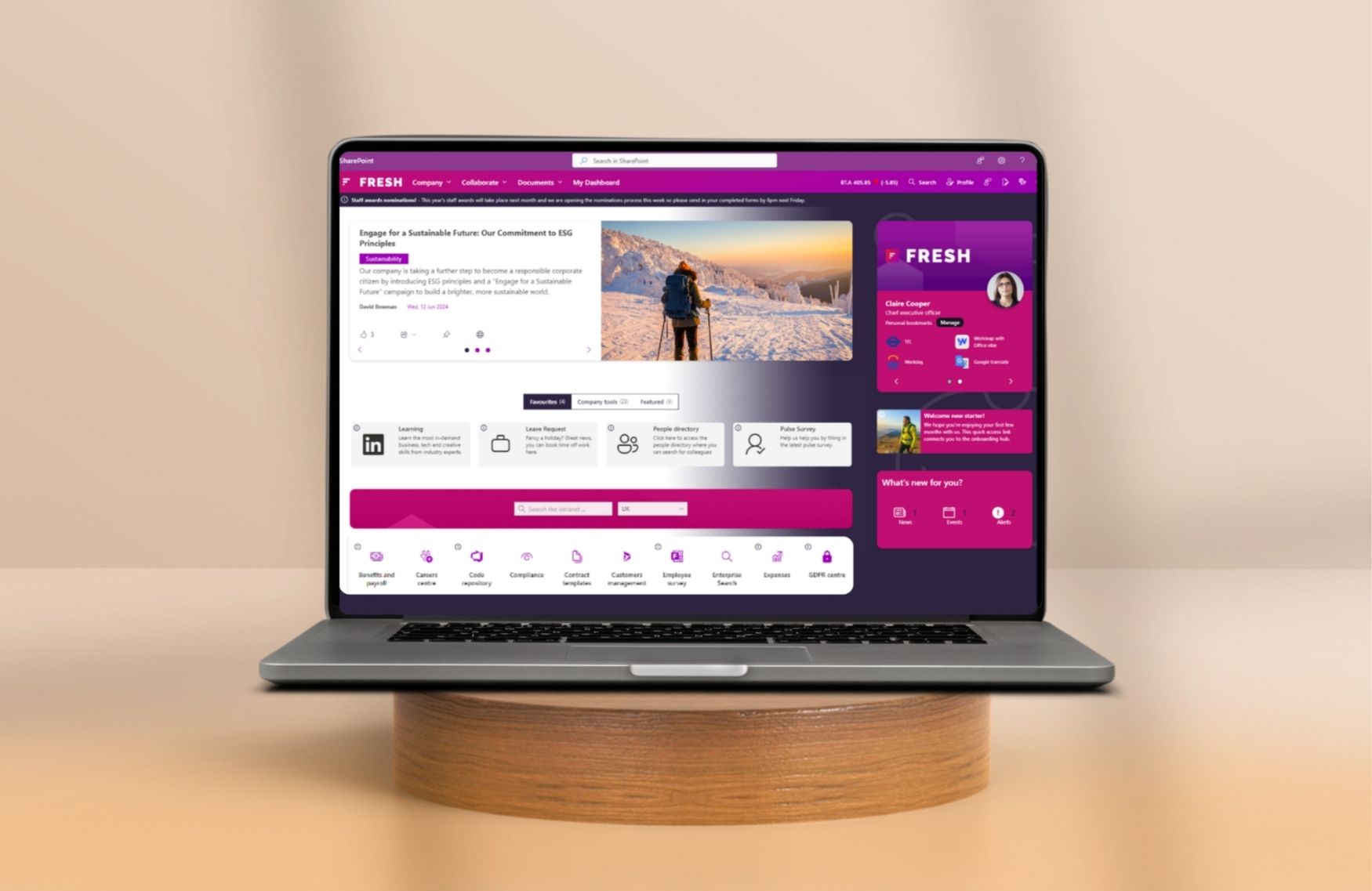
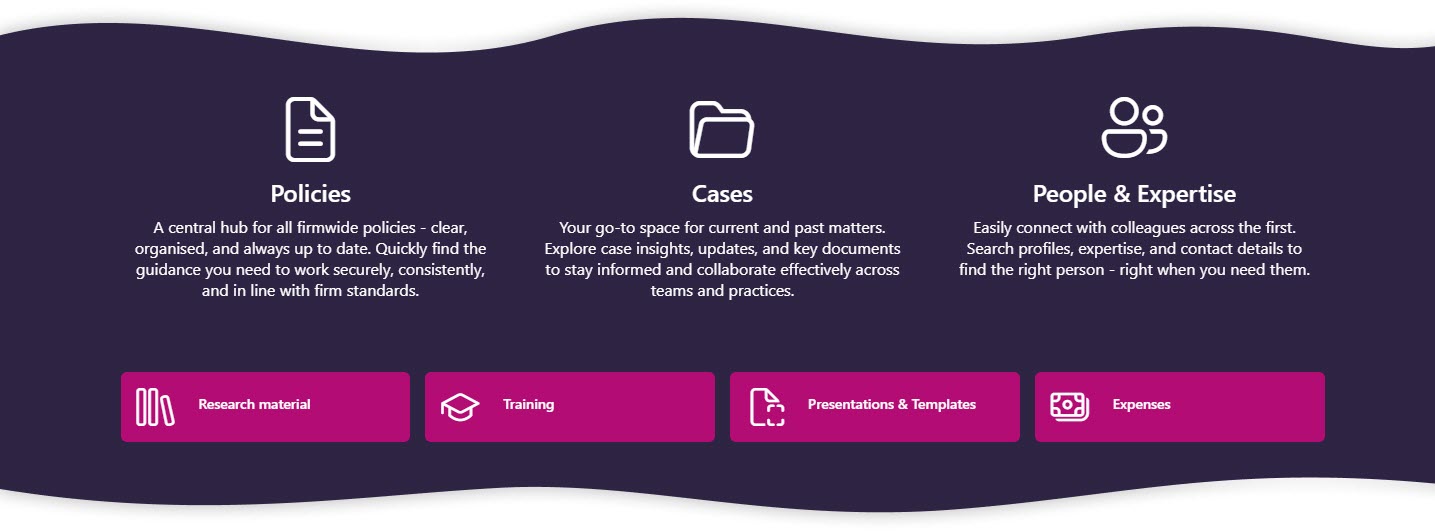
Fresh Intranet comes with its second release of 2026, focusing on more personalization, expanded visual capabilities and an even more user-friendly intranet experience within Microsoft 365. The release introduces new Hero and Promoted layouts, more extensive banners, improved search functionality, more personalization with greetings and usernames, and additional page and Web part layout options, among other features.
In addition, the release includes several practical improvements based on customer and partner feedback, giving organizations even more control over the look, structure and user experience of their intranets. In this blog, we look at the key innovations of Fresh Intranet V2026-R2 and what these improvements bring to organizations and employees.
More attention to important content with the new Promoted style
One of the most notable additions in this release is the new Promoted style within the Page Cards webpart. When this option is enabled, the first item within the view is automatically displayed more prominently and highlighted additionally. In addition, the title is displayed larger, giving it more emphasis.
This allows organizations to make important news items, internal campaigns or current updates instantly extra visible on the homepage or departmental pages. Especially with busy intranets, this helps employees recognize key information faster.
Why is this useful? Within many organizations, important communications quickly get lost among other content. By automatically highlighting one item prominently, you draw attention to important updates faster without additional manual design work.
The new Promoted option within the Clean display mode automatically makes important content stand out on the page.
Search functionality gets more prominent place on intranet
Search remains one of the most important parts of a modern intranet. That’s why Fresh has added several enhancements to the Search Box webpart.
For example, a new Hero Search Box is now available, which allows the search function to be placed much more prominently on a page. In addition, organizations can add text above the search bar, including personalized greetings such as “Good morning Iris” or “Welcome back, Madeleine.”
Why is this useful? Many employees use the intranet primarily to find information, documents or colleagues. Placing search more centrally on the homepage makes it easier and faster to find the right information immediately.
The Search Box webpart can now be displayed as striking Hero search, including personalized greetings and usernames.
In addition, new alignment settings have been added that allow organizations to position the search function more flexibly on the page.
Why is this useful? This makes the search functionality more consistent with the rest of the intranet design and creates more freedom in the page structure. Organizations can therefore create a homepage that better matches their corporate identity and user experience.
The new alignment settings allow the Search Box to be positioned more flexibly within the page layout.
More control over appearance with improved Hero Carousel
The Hero Carousel has gained several new features that give organizations more control over the look and feel of their homepage.
For example, it is now possible to choose a fixed height for the web part to better match surrounding parts of the page. In addition, text can now be displayed over images, including overlays such as dark gradients for better readability.
Why is this useful? This allows organizations to build more visually appealing homepages, displaying news, updates and campaigns more professionally. Especially for larger homepages, this provides more calmness and consistency in design.
The Hero Carousel now supports overlays, text on images and fixed heights for a homepage that is more clean and consistent.
Smaller improvements, such as better alignment of webparts next to each other, also make pages look neater.
Why is this useful? Consistent page structure makes intranet pages more organized and professional. Especially when multiple web parts are used side by side, consistent alignment helps maintain calmness in the design.
By setting fixed heights, different webparts fit together better. This makes for a neater look.
Banner web part becomes much more versatile
The existing Banner webpart has also received a major upgrade in this release. Among other things, organizations can now use rounded corners, add buttons and design text more elaborately with settings for color, size, alignment and shading.
Why is this useful? This makes the Banner Webpart much more flexible for onboarding, internal campaigns, notifications or call-to-actions. Organizations can better align banners with their own corporate identity and communications.
The Banner webpart now supports buttons and rounded corners, among other things, making it even more compatible with modern intranet designs.
In addition, the Banner webpart now supports personalized greetings and usernames.
Why is this useful? Even small personal elements can make a homepage more accessible and friendly to employees. Especially on homepages, this creates a more modern and personalized user experience.
Even compact banners can now display personalized greetings without taking up much space on the page.
Quick Tools gets a new Hero style
The Quick Tools web part has received a new Hero style that allows important tools and shortcuts to be displayed more prominently. Here, icons or images are placed at the top, followed by a title and extended description. In addition, the web part now supports a carousel view.
Why is this useful? This makes important systems, forms or applications more quickly visible to employees. This makes it easier to find tools used daily and reduces the number of clicks within the intranet.
The new Hero style within Quick Tools provides clearer and more visually striking shortcuts to important tools and systems.
Practical improvements based on customer feedback
In addition to the major visual updates, the release also includes several practical improvements stemming from customer and partner feedback. For example, the Content Creation Wizard now supports mandatory metadata from SharePoint sites, Tabbed Cards have been further enhanced with additional settings, and image rendering within Hero Grid has been improved. In addition, Auto Translate now supports EU endpoints, which is of interest to international organizations considering data locations and compliance within Microsoft 365.
Why is this useful? These improvements ensure that content remains more manageable, pages are built more consistently and organizations maintain greater control over their intranet environment.
Fresh continues to evolve within Microsoft 365
With this release, Fresh once again shows how it continues to evolve within Microsoft 365. Not by replacing SharePoint, but rather by further strengthening the user experience, communication and personalization on top of the Microsoft platform. For organizations, this means more opportunities to build an intranet that not only looks great, but more importantly, better aligns with how employees work and communicate on a daily basis.
Wondering what Fresh Intranet can do within your organization? Feel free to contact us or schedule a demo.