Why a standard solution works better for document management in SharePoint
Many organizations start their search for a document management system with the same thought: “we already work in Microsoft 365, so why not just use SharePoint as a DMS?
Standard SharePoint is a strong foundation for document management. It is fully integrated into Microsoft 365, keeping documents within your own tenant and working with the security, rights and compliance settings already in place within the organization. So you’re not adding a separate system, but building on the digital workplace that’s already there.
Yet that does not automatically mean that standard SharePoint is always the best choice. Especially when document management becomes more complex, organizations often run into the limits of standard functionality. The question then arises: is customization necessary or is it smarter to consider an add-on?
In this blog, we’d like to take you through why a standard document management solution often works better than customization in SharePoint.
Standard SharePoint can do a lot, but not everything
If you know exactly what you want and know the capabilities as well as the limitations of SharePoint, standard SharePoint can be a good choice. Especially if you want to determine what the system looks like from start to finish. A lot is possible within the platform and even without customization you can already set up a lot very well.
For some organizations, this is sufficient. Especially when processes are relatively simple and the need for structure is limited. Consider basic version control, access rights and a logical document structure.
But once document management goes beyond storage and retrieval, it often becomes more complicated. Think of project files, contract management, case-oriented work, metadata, workflows and tight governance around documents. Then standard SharePoint sometimes turns out to be too limited in practice.
Customization sounds attractive, but also has drawbacks
The next step is often customization. This allows you to make SharePoint fully customized to the needs of the organization. On paper, that sounds ideal, and in many cases it can also produce a strong system. Yet customization also comes with risks and drawbacks.
An implementation process often takes longer because it requires building, testing and tuning before users can actually get started. This requires not only more time, but also a greater investment.
In addition, maintenance remains a major concern. Microsoft 365 is constantly changing and updates do not always take into account customized solutions. This can lead to bugs, extra management and unexpected costs. So you are not only building a system, but also an ongoing responsibility.
Why a standard solution is often a smarter choice
More and more organizations are opting for a standard solution such as WorkPoint. Not a fully customized solution, but a smart extension to SharePoint specifically set up for document management.
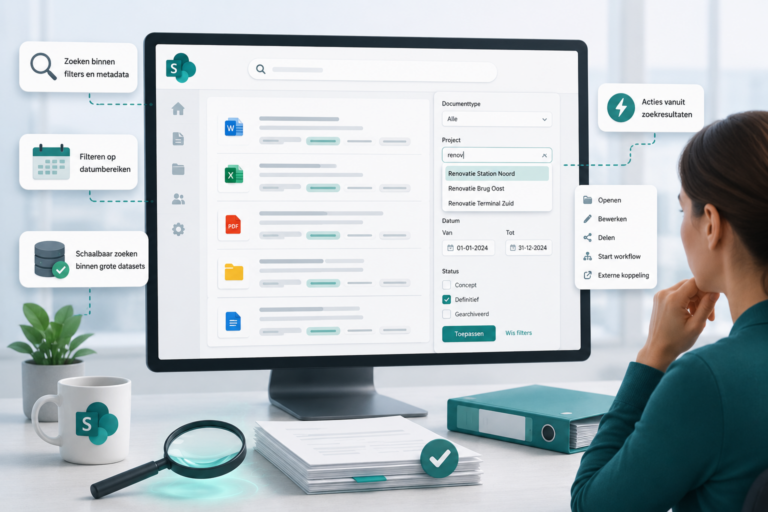
WorkPoint puts an extra layer, so to speak, over SharePoint and adds functionalities that you need directly in a DMS. Think of fixed file templates, automatic document structures, metadata, version management, rights management and workflows for approval and follow-up. The creation of new projects, contracts or dossiers also runs in a structured way and according to fixed agreements.
The basis is already there and is built from common practical situations and proven best practices. Another big advantage is that you immediately see what you get, so no unexpected surprises. From there you can fine-tune what your organization needs, without having to build everything from scratch; you can also expand on what is already there relatively easily.
Faster live, less management, more control
A standard solution is often less labor intensive than customization. Less needs to be built, making implementation faster and management more manageable. On the other hand, WorkPoint works with licenses and thus requires an investment. In many cases, a fully customized SharePoint solution is ultimately more expensive, especially when management and further development are also included.
In addition, you simply continue to work fully within Microsoft 365. Your data remains in your own tenant, permissions and security remain intact, and you benefit from the existing governance within your organization. WorkPoint is not a stand-alone system alongside SharePoint, but really complements it.
Conclusion
So the question is not whether SharePoint is suitable as a DMS, because it certainly is. The real question is whether you want to build everything yourself, or prefer to start with a solution that has already proven itself in practice.
For some organizations, standard SharePoint is sufficient, while in others, customization is required. But in many cases, a standard solution ultimately turns out to be the wisest choice: faster live, less maintenance, lower risk and a solid foundation for the long term. This is precisely why a standard document management solution often works better.