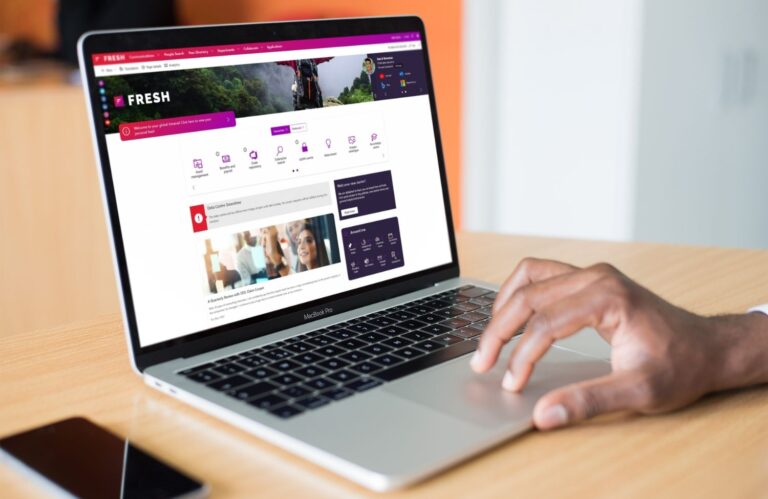
At Fresh Intranet they are starting the new year off right with a brand new release of Fresh Intranet. Many of the updates in this version are based directly on requests from partners and customers. Optimizations that make management easier, improve the user experience and provide greater control over content.
In this blog, we’d like to take you through the new features and changes to Fresh Intranet.
More control over content and timeliness
An intranet is only valuable if information is current and reliable. Yet we see in many organizations that old news items remain, review dates expire and ownership is unclear. With the improvements in the Content report web part and date filters, it becomes easier to manage this.
What has changed?
Clearer understanding of review data
A visual status indicator for content that needs attention
More filtering options, such as by author
Understanding recent views
Logically built date filters
The ability to filter by your own chosen time period
What does this yield? You see more quickly which pages need to be revised. You know who is responsible for what content. You gain insight into what is still being read and what is not. For communications, this means less manual research and more direction. You can manage proactively instead of cleaning up reactively.
Save to read later
You see an interesting post, but don’t have time to read it right away. The new functionality to save content now fully aligns with how this works within Microsoft 365. That means two important things:
1. Consistent Workflow Saved items work exactly as employees are used to within Microsoft 365. Do you mark a document as a favorite in Word? Or do you save a news item in SharePoint to read later? It feels the same because it follows the same workflow.
2. Seamless Integration Saved content appears not only within Fresh, but also in Viva Connections and in the standard “Saved for later” web part of SharePoint.
How does it work? Suppose: An employee sees an important news item about a reorganization and pins it down so he can find it quickly later. Or someone pins an important project page because it needs to be consulted regularly.
Previously, this “pinning” was handled by Fresh in its own way. Now this functionality fully aligns with how Microsoft handles saved items, such as with “Save for later” or favorites in other Microsoft components. For users, nothing visibly changes. They still click on a pin or save icon the same way.
What does this yield?
A recognizable and consistent user experience
Fewer adoption barriers
Greater chance that stored content will actually be read back
Accessibility for all
Fresh now meets WCAG 2.2 AAA, the highest level within international accessibility guidelines. That sounds technical, but it’s all about something very practical: Can everyone in your organization use the intranet properly?
Consider employees who:
Navigating with the keyboard
Using screen readers
Having a visual impairment
Being sensitive to moving elements
Among other things, the update provides clearer focus for navigation, better readability and the avoidance of distracting animations.
Why is this important? An intranet is a central source of information. If not everyone can work well with it, you exclude people. In addition, accessibility requirements are becoming increasingly important. With this step, your intranet is better prepared for the future and more inclusive for all employees.
Additional improvements
In addition to the major themes, additional optimizations have been made. Think of support for Webex links, additional filtering options such as the ‘Channel’ field, improvements in banners for accessibility and further development of components such as the profile component. No big headlines, but improvements that make everyday use just a little more pleasant.
Fresh’s Q1 2026 release shows what the platform is all about: listening to the practice, improving where needed and staying connected to Microsoft 365. The intranet will be more accessible, user-friendly and provide more control over content and timeliness.
If you are already working with Fresh, then you will benefit immediately from these improvements. If you are considering a next step in your SharePoint intranet, then this release shows how actively Fresh continues to develop based on real user experiences.